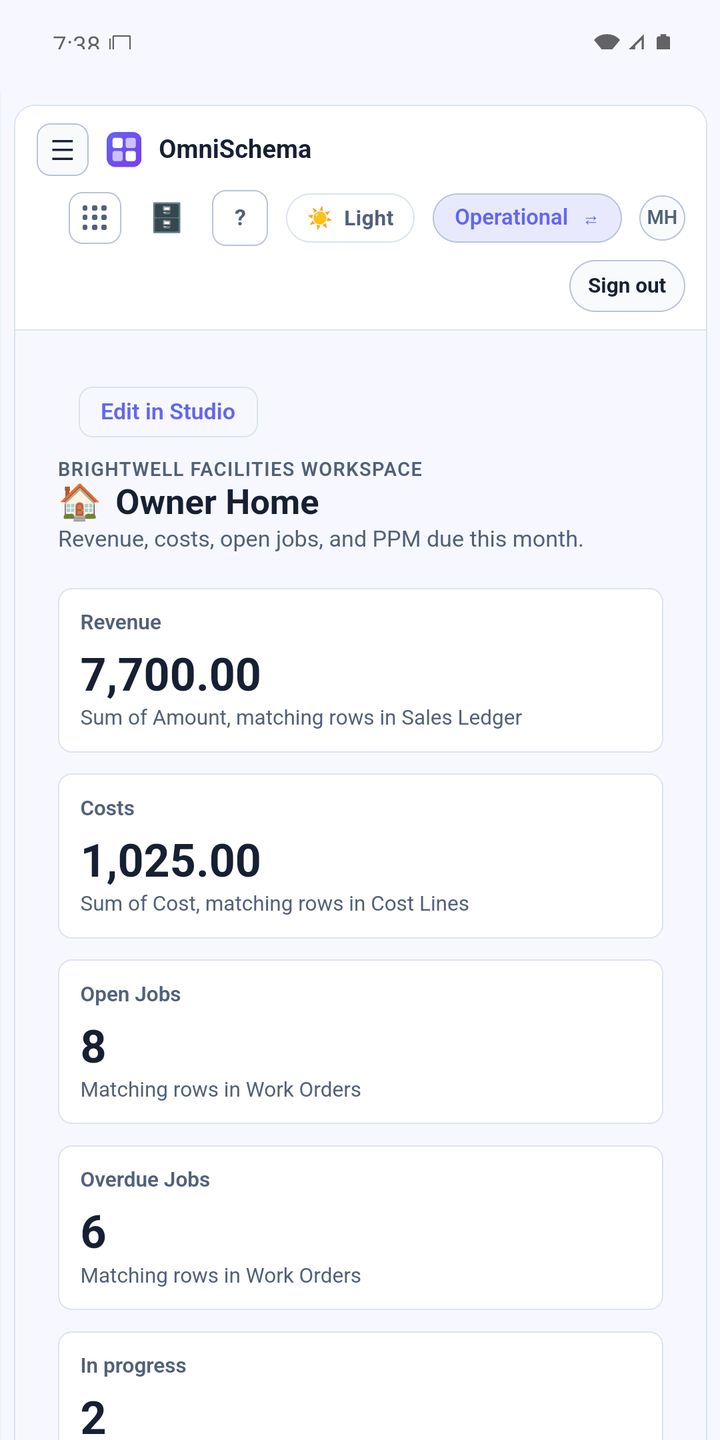
A lot of owners spend Monday morning chasing people. How many jobs are open? Did the boiler service at the school get done? Have we invoiced last week's work? Every answer costs a phone call or a message.
A good dashboard replaces those calls with one screen. It shouldn't try to show everything. It should show the handful of numbers that tell you whether the business is healthy.
1. Open jobs
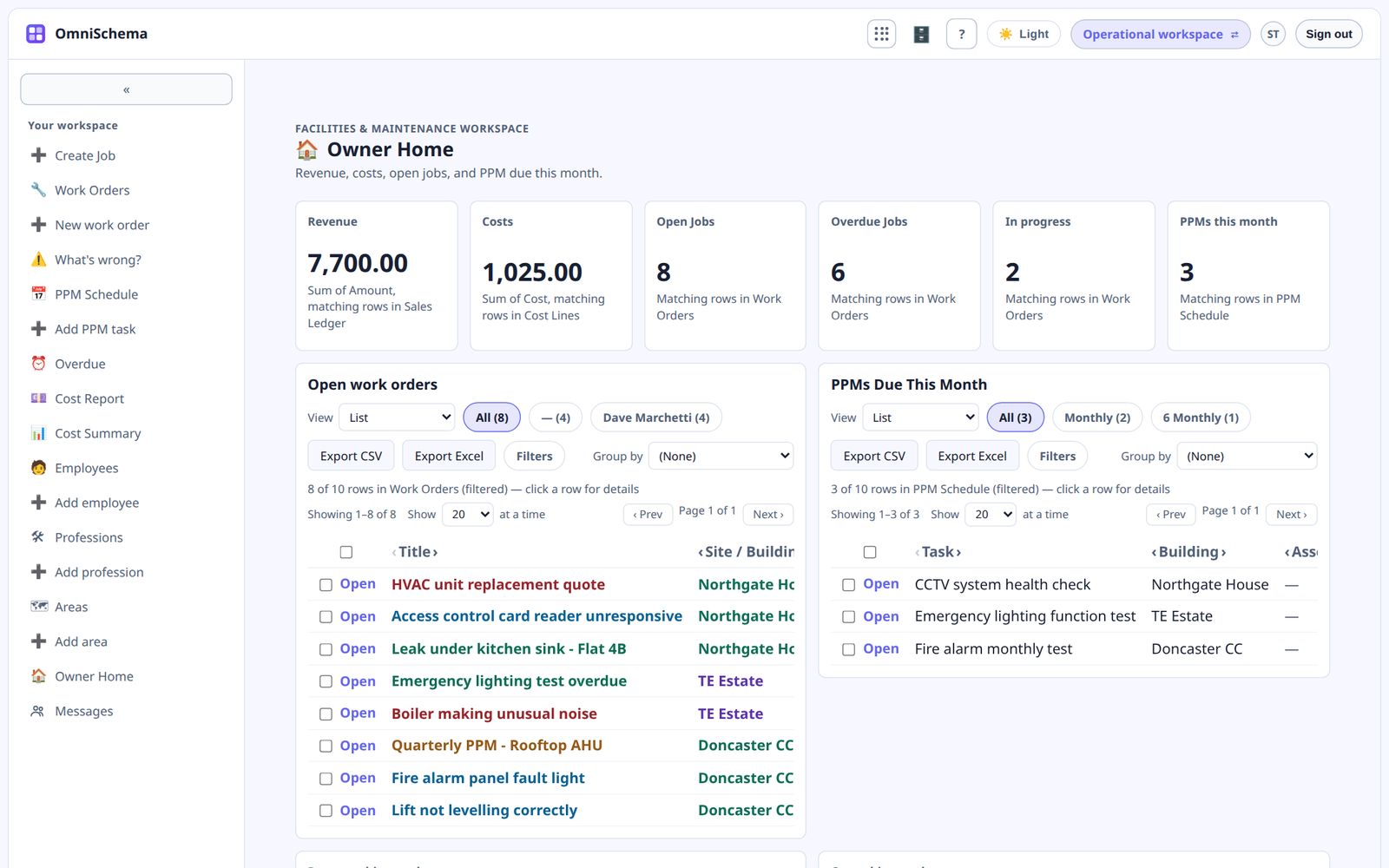
How many jobs are open right now, and how many have been waiting longer than they should? A creeping number of old open jobs is an early sign that the team is stretched.
2. Overdue planned work
How many planned maintenance tasks are past their date? This is the number most likely to be hiding a compliance problem.
3. Revenue this month
What have you invoiced so far this month, and is it on track compared with last month?
4. Costs this month
What have jobs cost in parts, materials and subcontractors? Revenue on its own tells you very little.
5. Who's busy
Which engineers are flat out and which have room? An uneven spread means some people are drowning while others wait for work.
Keep it on one screen
If the dashboard needs scrolling, it's become a report, and nobody reads reports at eight on a Monday. Put the numbers across the top and a short list underneath of the oldest open jobs and the most overdue tasks.
Make every number clickable
When a number looks wrong you should be able to click it and see the jobs behind it. A number you can't dig into is a number you can't act on.
OmniSchema gives owners an Owner Home page with revenue, costs, open jobs and overdue work, calculated from what the team records rather than typed in separately. You can change it in Studio to show whatever matters most to you, and charts click through to the rows behind them.